


SQL Server Databases
Databases on SQL Server are everything to us. The smallest issue in one of these databases can bring the entire service we provide to a complete halt.
In this post, we’ll walk through the databases found on SQL Server and the things you need to pay attention to in each of them.
Database Types
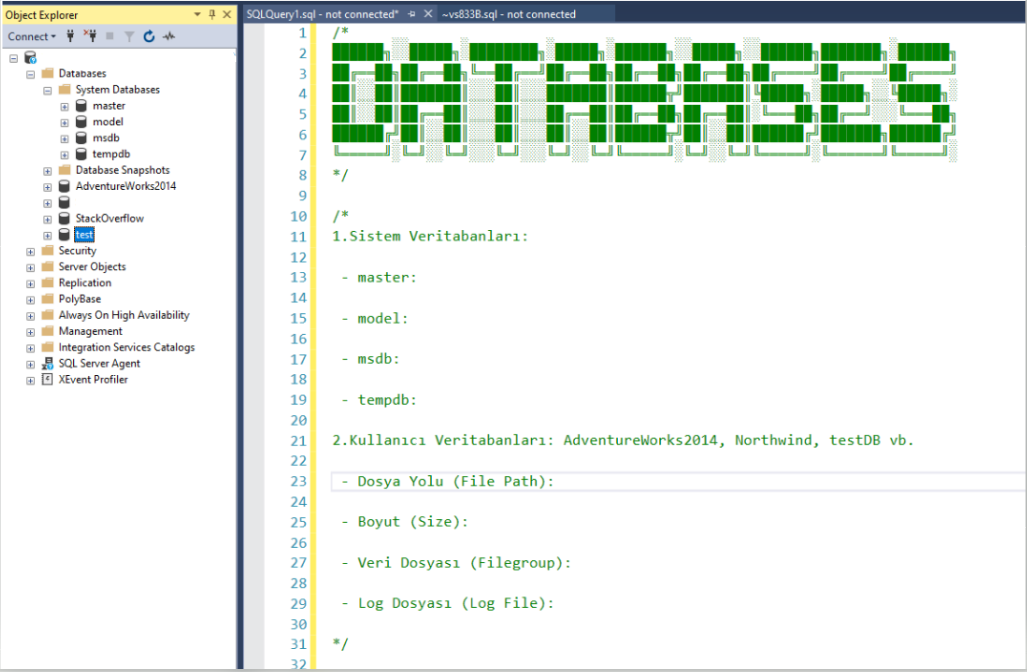
- User Databases: User databases are databases designed specifically for an organization’s business processes. User databases typically store application data, workflow data, and data created by users. The characteristics of user databases include the following:
- File Path: User databases are stored on the SQL Server instance using a designated file path. (If there’s an issue with this path, there’s an issue with the database too.)
- Size: User databases aren’t limited in size, and can be scaled based on the user’s needs.
- Data File: The data file contains the user database’s actual data. On the user database’s properties tab, you can see the data file’s physical properties, file path, and size. (The files where data is stored — first name, last name, address, gender, etc.)
- Log File: The log file holds the user database’s transaction records. On the user database’s properties tab, you can see the log file’s physical properties, file path, and size. (The file where our operations are recorded — UPDATE, INSERT, DELETE)
- System Databases: System databases are special databases used and managed by SQL Server itself. System databases are required to keep the SQL Server instance running properly. The characteristics of system databases include the following:
- master: Manages the SQL Server instance’s configuration and the management of the other system databases.
- model: A template database used to create new databases.
- msdb: Manages SQL Server Agent and stores the information needed for database backups, maintenance plans, and other tasks.
- tempdb: A system database used to store temporary data.
On the system databases’ properties tab, you can view the disk space used, file path, and size for each database.
Need expert support for SQL Server?
Our senior database team supports SQL Server performance tuning, health checks, migrations, Remote DBA services and urgent operational issues.
That said, we know there are plenty more topics worth covering here, and we’ll try to walk through them in future posts.
Related Reading
SQL Server Consulting
Do You Need Expert Support for Your SQL Server Environment?
Aryasoft’s senior database team provides end-to-end consulting, from SQL Server performance tuning to architecture decisions.

