TABLE OF CONTENTS
- •Let's build an index strategy around your workload
- •How a SQL Server Index Works
- •Index Types and When to Use Them
- •Choosing the Clustered Index Key
- •Designing Nonclustered Indexes
- •Key column order
- •Covering indexes and INCLUDE
- •Filtered indexes
- •Why a Query Doesn’t Use Your Index
- •Finding Missing Indexes
- •Finding Unused and Duplicate Indexes
- •Columnstore Indexes
- •Index Maintenance: What Still Matters
- •Common Index Mistakes
- •Index Checklist
- •Are your indexes helping or hurting?
Indexes decide how much data SQL Server has to read to answer a query. A good index turns a scan of millions of rows into a few page reads; a missing one makes the same query read the whole table every time it runs. Too many indexes have the opposite cost: every insert, update and delete has to maintain all of them, and the buffer pool fills with structures nobody reads.
This guide explains how SQL Server indexes are built, the index types and when to use each, how to design keys and included columns, why some queries can’t use an index at all, how to find missing and unused indexes, and what index maintenance is still worth doing.
Let's build an index strategy around your workload
Aryasoft analyzes your real query workload, finds missing, unused and overlapping indexes and improves query performance without adding write overhead.
How a SQL Server Index Works
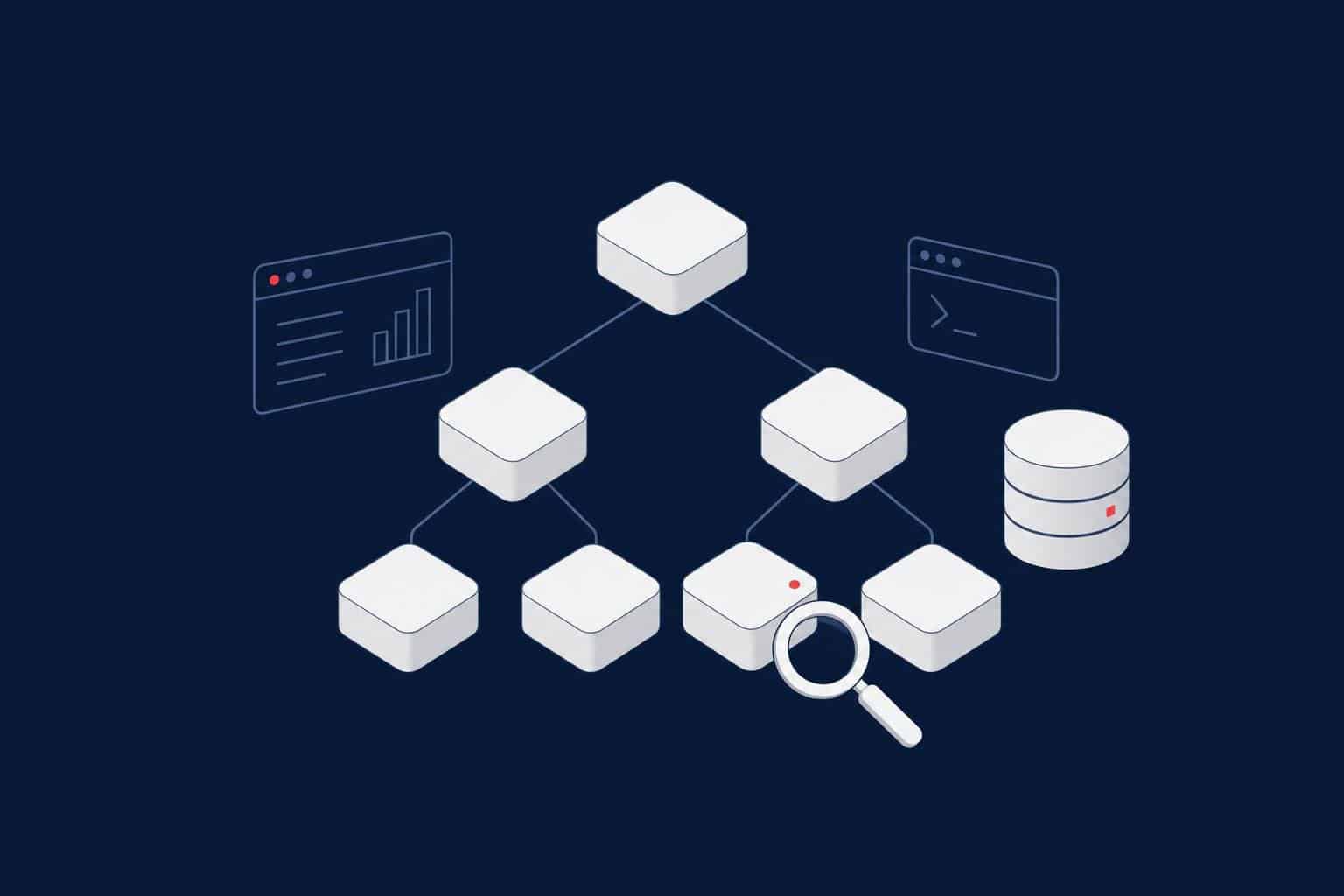
A rowstore index is a B-tree: a root page, intermediate levels and a leaf level, all made of 8 KB pages. The keys are kept in sorted order, so SQL Server can navigate from the root to the right leaf page in a few reads, whatever the table size. That navigation is an index seek. Reading the leaf level from start to end is an index scan.
A table is stored in one of two ways:
- Heap: no clustered index. Rows are stored in no particular order and found through a row identifier (RID).
- Clustered index: the leaf level of the index is the table. Rows are stored in clustered key order, and a table can have only one.
A nonclustered index is a separate B-tree whose leaf level holds the index keys plus a pointer back to the row: the clustered key, or the RID on a heap. When a query needs columns that aren’t in the nonclustered index, SQL Server follows that pointer for every row, which is a key lookup (or RID lookup). A few lookups are cheap; thousands of them are often why the optimizer chooses to scan the table instead.
Index Types and When to Use Them
| Type | What it is | Use it for |
|---|---|---|
| Clustered | The table itself, ordered by the key | Almost every table; choose the key carefully |
| Nonclustered | A separate sorted copy of selected columns | Frequent filters, joins and sorts |
| Unique | An index that rejects duplicate keys | Business keys; also helps the optimizer |
| Filtered | A nonclustered index on a subset of rows (WHERE clause) | Queries that always target a small, well-defined subset, such as open orders |
| Columnstore | Column-wise, compressed storage processed in batches | Large scans and aggregations, reporting, data warehouses |
| Full-text | An inverted index of words | Word and phrase search on long text |
| XML, spatial, JSON, vector | Specialized structures for these data types | Queries on those types only |
Choosing the Clustered Index Key
The clustered key is copied into every nonclustered index as the row pointer, so its choice affects every index on the table. A good clustered key is:
- Narrow: an
intorbigintis ideal; a wide composite key makes every nonclustered index bigger. - Unique: otherwise SQL Server adds a hidden 4-byte uniquifier to duplicates.
- Static: updating a clustered key moves the row and updates every nonclustered index.
- Ever-increasing: new rows go to the end, which avoids page splits in the middle of the table.
An identity or sequence column usually meets all four. A random uniqueidentifier from NEWID() meets none of the last two and causes heavy page splitting and fragmentation; if you need GUIDs, consider NEWSEQUENTIALID() or keep the GUID in a nonclustered index.
Note
A primary key creates a clustered index by default, but the two are separate concepts. You can have a nonclustered primary key and cluster the table on a different column if the queries benefit from it.
Designing Nonclustered Indexes
Key column order
In a composite index, column order matters. SQL Server can seek on the leading column, and on the next columns only while the previous ones are used with equality. A practical rule:
- Columns compared with
=first. - Then the column used for a range (
>,BETWEEN,LIKE 'abc%') or for ORDER BY. - Put everything else that the query only returns into
INCLUDE.
-- Query: WHERE CustomerID = @c AND OrderDate >= @from ORDER BY OrderDate
-- returns OrderID, Status, TotalAmount
CREATE NONCLUSTERED INDEX IX_Orders_Customer_OrderDate
ON dbo.Orders (CustomerID, OrderDate)
INCLUDE (Status, TotalAmount)
WITH (ONLINE = ON);   -- ONLINE requires Enterprise edition
Covering indexes and INCLUDE
Included columns are stored only at the leaf level. They make the index covering for a query, so no key lookups are needed, without making the key wider. Don’t include every column “just in case”: a covering index for a SELECT * is a second copy of the table.
Filtered indexes
A filtered index on a small subset is smaller, cheaper to maintain and has more accurate statistics:
CREATE NONCLUSTERED INDEX IX_Orders_Open
ON dbo.Orders (CustomerID, OrderDate)
WHERE Status = 'Open';
Warning
Filtered indexes are only used when the query’s predicate clearly matches the filter. Parameterized queries such as WHERE Status = @status often can’t use them, because the plan must work for any parameter value. Inserts and updates also need specific SET options (ANSI_NULLS and QUOTED_IDENTIFIER ON, among others), or they fail on tables with filtered indexes.
An example from the field: at a public institution, a tracking screen shipped in a new release had locked SQL Server CPU at 100%. A view with a non-SARGable predicate was rewritten and a single filtered index covering only open records was added, bringing CPU down to 5% after half a day of work. Read the details in our success story.
Why a Query Doesn’t Use Your Index
An index only helps if the predicate is sargable, meaning SQL Server can turn it into a seek range. Common reasons a seek becomes a scan:
| Pattern | Why it fails | Sargable alternative |
|---|---|---|
| WHERE YEAR(OrderDate) = 2026 | A function on the column hides its sort order | WHERE OrderDate >= ‘20260101’ AND OrderDate < ‘20270101’ |
| WHERE Name LIKE ‘%son’ | A leading wildcard has no starting point | Full-text search, or a reversed computed column |
| WHERE CustomerCode = @p with @p nvarchar on a varchar column | Implicit conversion of the column | Send parameters with the column’s data type |
| WHERE ISNULL(Status, ‘X’) = ‘X’ | Function on the column | WHERE Status = ‘X’ OR Status IS NULL |
| WHERE Amount * 1.2 > 100 | Arithmetic on the column | WHERE Amount > 100 / 1.2 |
Even with a sargable predicate, the optimizer may still choose a scan when the predicate returns a large share of the table, because many key lookups would cost more than reading everything once. That’s a reason to make the index covering, not to force it with a hint.
Finding Missing Indexes
SQL Server records indexes the optimizer wished it had while compiling queries:
SELECT TOP (25)
    DB_NAME(d.database_id)                         AS database_name,
    d.statement                                    AS table_name,
    d.equality_columns, d.inequality_columns, d.included_columns,
    s.user_seeks, s.user_scans,
    CAST(s.avg_total_user_cost * s.avg_user_impact * (s.user_seeks + s.user_scans) AS bigint) AS improvement_score
FROM sys.dm_db_missing_index_details     AS d
JOIN sys.dm_db_missing_index_groups      AS g ON g.index_handle = d.index_handle
JOIN sys.dm_db_missing_index_group_stats AS s ON s.group_handle = g.index_group_handle
ORDER BY improvement_score DESC;
Warning
Treat missing index suggestions as hints, not instructions. They don’t consider existing indexes, often suggest overlapping indexes for similar queries, ignore write cost, list columns in an order that isn’t always best, and are cleared at every restart. Merge similar suggestions into one well-designed index and test it.
Finding Unused and Duplicate Indexes
Every index has a write cost. Indexes that are maintained but never read are pure overhead:
SELECT
    OBJECT_SCHEMA_NAME(i.object_id) + '.' + OBJECT_NAME(i.object_id) AS table_name,
    i.name                                  AS index_name,
    i.type_desc,
    ISNULL(u.user_seeks, 0) + ISNULL(u.user_scans, 0) + ISNULL(u.user_lookups, 0) AS reads,
    ISNULL(u.user_updates, 0)               AS writes
FROM sys.indexes AS i
LEFT JOIN sys.dm_db_index_usage_stats AS u
       ON u.object_id = i.object_id AND u.index_id = i.index_id AND u.database_id = DB_ID()
WHERE OBJECTPROPERTY(i.object_id, 'IsUserTable') = 1
  AND i.type_desc = 'NONCLUSTERED'
  AND i.is_primary_key = 0 AND i.is_unique_constraint = 0
ORDER BY reads ASC, writes DESC;
Usage statistics reset when the instance restarts (and, in some versions, when an index is rebuilt), so look at data that covers at least a full business cycle, including month-end jobs, before dropping anything. Also look for duplicate indexes with the same key columns, and overlapping ones where one index’s keys are a left-based prefix of another’s; the narrower one can usually go.
Columnstore Indexes
Columnstore indexes store each column separately in compressed segments of about a million rows and process them in batch mode. For queries that scan and aggregate large tables, they often reduce I/O by an order of magnitude.
- A clustered columnstore index is the main storage for fact tables and large history tables.
- A nonclustered columnstore index on an OLTP table lets reports run analytical queries without a separate data warehouse.
- SQL Server 2025 adds ordered nonclustered columnstore indexes and online builds for ordered columnstore.
- Columnstore is poor at singleton lookups and frequent small updates; keep rowstore indexes for those paths.
Index Maintenance: What Still Matters
For years, the standard advice was to reorganize indexes above 5–30% fragmentation and rebuild above 30%. On modern SSD and flash storage, logical fragmentation matters much less than it did on spinning disks. What still matters:
- Statistics: stale statistics cause far more bad plans than fragmentation. Update them regularly, especially on large tables where automatic updates trigger late.
- Page density: pages that are half empty waste memory and I/O. Check
avg_page_space_used_in_percent, not only fragmentation percentage. - Fill factor: leave it at 100 for ever-increasing keys; lower it only on indexes with measured page splits.
- Cost: rebuilds generate large amounts of log, which affects AG replicas, log backups and log shipping. Rebuild what benefits, not everything every night.
SELECT
    OBJECT_SCHEMA_NAME(ps.object_id) + '.' + OBJECT_NAME(ps.object_id) AS table_name,
    i.name AS index_name,
    ps.page_count,
    CAST(ps.avg_fragmentation_in_percent   AS decimal(5,1)) AS fragmentation_pct,
    CAST(ps.avg_page_space_used_in_percent AS decimal(5,1)) AS page_density_pct
FROM sys.dm_db_index_physical_stats(DB_ID(), NULL, NULL, NULL, 'SAMPLED') AS ps
JOIN sys.indexes AS i ON i.object_id = ps.object_id AND i.index_id = ps.index_id
WHERE ps.page_count > 1000 AND ps.index_level = 0
ORDER BY ps.page_count DESC;
Tip
In Enterprise edition, use ONLINE = ON and RESUMABLE = ON for rebuilds of large indexes, so a maintenance window can pause and continue instead of rolling back hours of work. For a look at where index maintenance is heading, see our article on automatic index compaction.
Common Index Mistakes
- Random GUID clustered keys on high-insert tables.
- Creating every missing index suggestion as-is.
- One single-column index per column instead of a few composite indexes that match real queries.
- Duplicate and overlapping indexes that only add write cost.
- Functions and implicit conversions on indexed columns in WHERE clauses.
- Rebuilding every index every night while statistics stay stale.
- Dropping “unused” indexes based on usage statistics collected for a few days.
Index Checklist
- Every table has a deliberate clustered index; heaps are an explicit choice.
- Clustered keys are narrow, unique, static and ever-increasing where possible.
- Nonclustered indexes match real query patterns, with equality columns first and INCLUDE for returned columns.
- Missing index suggestions are reviewed and merged, not applied blindly.
- Unused, duplicate and overlapping indexes are reviewed over a full business cycle.
- Statistics are maintained; rebuilds are targeted by size, density and benefit.
- Reporting workloads are evaluated for columnstore.
Related Reading
SQL Server Performance Consulting
Are your indexes helping or hurting?
Aryasoft’s senior DBA team analyzes your real query workload, designs the indexes it needs, removes the ones that only cost writes and sets up maintenance that targets statistics and page density instead of rebuilding everything every night.