TABLE OF CONTENTS
- •What Is SQL Server Modernization?
- •Planning to Modernize Your SQL Server Environment?
- •Why SQL Server Modernization Matters in 2026
- •SQL Server Support Lifecycle
- •Support Lifecycle Is Only One Modernization Driver
- •SQL Server Modernization Options
- •1. Upgrade SQL Server
- •2. Modernize the Existing Infrastructure
- •3. Consolidate SQL Server Environments
- •150+ SQL Server Instances Consolidated into 3 Nodes
- •4. Migrate SQL Server to the Cloud
- •SQL Server on Azure Virtual Machines
- •Azure SQL Managed Instance
- •Azure SQL Database
- •SQL Server to Azure With Under 5 Minutes of Planned Downtime
- •5. Replatform or Refactor
- •SQL Server Upgrade vs Migration vs Modernization
- •Upgrade, Migrate or Consolidate?
- •How to Choose the Right SQL Server Modernization Path
- •What SQL Server version are you currently running?
- •Which applications and services depend on SQL Server?
- •Which SQL Server features are in use?
- •How much downtime can the business tolerate?
- •What problem are you actually trying to solve?
- •SQL Server Modernization Roadmap
- •1. Discovery and Inventory
- •2. Health and Compatibility Assessment
- •3. Define the Target Architecture
- •4. Plan Migration and Cutover
- •5. Test Before Production Migration
- •6. Validate After Migration
- •7. Optimize and Operate the New Environment
- •Common SQL Server Modernization Mistakes
- •Choosing the Target Platform Too Early
- •Treating Modernization as Only a Data Transfer
- •Missing SQL Server Agent Jobs and External Dependencies
- •Testing the Database but Not the Application
- •Underestimating Cutover and Rollback Planning
- •Moving Existing Inefficiencies Into the New Environment
- •Ignoring Post-Migration Performance
- •SQL Server Modernization Checklist
- •Before Modernization
- •After Modernization
- •When Should You Modernize SQL Server?
- •Frequently Asked Questions About SQL Server Modernization
- •What is SQL Server modernization?
- •What is the difference between SQL Server migration and modernization?
- •Do I need to move SQL Server to Azure to modernize it?
- •Which SQL Server versions should organizations consider modernizing?
- •Can SQL Server be modernized without changing application code?
- •How long does a SQL Server modernization project take?
- •Need expert support for SQL Server?
- •Build the Modernization Plan Around Your SQL Server Environment
- •Planning a SQL Server Modernization Project?
SQL Server environments rarely become outdated overnight. More often, they become harder to manage gradually. New applications are added, individual instances multiply, infrastructure ages, licensing requirements change and older database versions continue supporting increasingly critical workloads.
This is where SQL Server modernization becomes important. Modernization does not automatically mean replacing SQL Server or moving every workload to the cloud. Depending on the environment, it may involve a version upgrade, infrastructure refresh, SQL Server consolidation, cloud migration, high availability redesign, performance optimization or a broader replatforming project.
The right approach depends on the current architecture, application dependencies, downtime requirements, operational risks, licensing model and long-term technology strategy. Aryasoft supports these decisions through SQL Server consulting services covering assessment, performance, migration, upgrades, consolidation, high availability and ongoing database operations.
In this guide, we look at the main SQL Server modernization options, when each approach makes sense and how to build a modernization roadmap without moving existing problems into a new environment.
What Is SQL Server Modernization?
SQL Server modernization is the process of improving an existing SQL Server environment so that it better supports current requirements for performance, reliability, security, scalability, maintainability and cost.
It is broader than database migration alone. A modernization project can include one or several of the following:
- Upgrading to a newer SQL Server version
- Refreshing server, storage or operating system infrastructure
- Consolidating fragmented SQL Server instances
- Redesigning high availability and disaster recovery architecture
- Moving SQL Server from on-premises infrastructure to the cloud
- Moving between cloud or managed database environments
- Adopting Azure SQL Managed Instance or Azure SQL Database
- Improving performance, monitoring, backup and recovery processes
- Automating recurring database operations
- Replatforming selected workloads to another database technology
A cloud migration can therefore be part of SQL Server modernization, but it is not a requirement. An organization running an unnecessarily fragmented SQL Server estate, for example, may gain more from consolidation and architecture improvements than from immediately moving every workload to a new platform.
The important question is not simply “How do we move SQL Server?” It is “What should the future SQL Server environment look like, and which changes are actually required to get there?”
SQL Server Consulting
Planning to Modernize Your SQL Server Environment?
Aryasoft supports SQL Server assessments, upgrades, migrations, consolidation, performance improvements and architecture planning with senior database expertise.
Why SQL Server Modernization Matters in 2026
Modernization is often triggered by an immediate technical issue, but support lifecycle, operational complexity and long-term infrastructure planning should also be considered. In 2026, this is particularly relevant for organizations still operating SQL Server 2016 or planning the next stage of SQL Server 2017 and 2019 environments.
SQL Server Support Lifecycle
Microsoft uses a fixed lifecycle for major SQL Server releases. As of August 2026, SQL Server 2016 has reached the end of extended support, while later releases have different remaining support windows. If you still run it, see your options after SQL Server 2016 end of support.
| SQL Server Version | Mainstream Support | Extended Support | Modernization Consideration |
|---|---|---|---|
| SQL Server 2016 | Ended July 2021 | Ended July 14, 2026 | High priority for environments still running the release |
| SQL Server 2017 | Ended October 2022 | October 2027 | Modernization planning should already be underway |
| SQL Server 2019 | Ended March 2025 | January 2030 | Review the long-term roadmap and application requirements |
| SQL Server 2022 | January 2028 | January 2033 | Current supported option with a longer lifecycle |
| SQL Server 2025 | January 2031 | January 2036 | Longest current support runway, subject to application compatibility and testing |
Organizations that cannot immediately move away from SQL Server 2016 may also evaluate Microsoft’s Extended Security Updates. Microsoft positions ESUs as a temporary bridge for legacy environments rather than a long-term replacement for modernization planning.
If version selection itself is the main question, see Aryasoft’s guide on which version of SQL Server is best for your environment.
Support Lifecycle Is Only One Modernization Driver
An SQL Server environment can require modernization even when the database version is still supported. Common drivers include:
- Performance bottlenecks: slow queries, blocking, inefficient indexing, storage pressure or configuration issues affecting applications.
- Aging infrastructure: older servers, operating systems or storage platforms creating reliability and capacity concerns.
- SQL Server instance sprawl: large numbers of standalone instances increasing monitoring, maintenance and licensing complexity.
- High availability requirements: business-critical applications requiring stronger failover, disaster recovery and recovery objectives.
- Backup and recovery weaknesses: backups may exist without sufficient restore testing, recovery planning or centralized control.
- Licensing costs: infrastructure topology may result in unnecessary licensed capacity.
- Internal DBA workload: database operations may have grown beyond the capacity of the existing team.
- Cloud strategy: the organization may be reviewing which workloads should remain on-premises and which should move to cloud or managed services.
- Security and compliance: older configurations, access models and maintenance processes may no longer meet current requirements.
SQL Server Modernization Options
There is no single modernization path that fits every SQL Server environment. The starting point should be the current workload and business requirement, not a predetermined target platform.
1. Upgrade SQL Server
A version upgrade can be the most appropriate modernization path when the underlying architecture is still suitable but the SQL Server release is approaching or has reached the end of support.
For example, an organization running SQL Server 2016 may decide to move to SQL Server 2022 or SQL Server 2025 while keeping the database platform largely unchanged.
An upgrade still requires structured planning. Areas to review include:
- Application and vendor compatibility
- Database compatibility levels
- Deprecated or changed functionality
- Drivers and client libraries
- SQL Server Agent jobs
- SSIS and SSRS dependencies
- Performance behavior and execution plans
- Backup and rollback strategy
- High availability architecture
The newest SQL Server release is not automatically the right upgrade target for every production system. Application certification, vendor requirements, testing capacity, support lifecycle and operational maturity should all be part of the decision.
2. Modernize the Existing Infrastructure
Modernization does not always require changing the SQL Server version or moving to a different database service.
Some environments benefit from modernizing the infrastructure around SQL Server, including:
- Server and storage refresh
- Operating system upgrades
- Virtualization changes
- Cluster redesign
- Always On architecture
- Backup and recovery improvements
- Monitoring and alerting
- Security configuration
- Maintenance automation
High availability requirements should also be reviewed as part of this process. Aryasoft’s overview of SQL Server high availability solutions provides additional background on technologies such as Always On Availability Groups and Failover Cluster Instances.
3. Consolidate SQL Server Environments
SQL Server estates often become fragmented over time. A new application gets its own instance, another project requires a separate server and temporary deployments gradually become permanent. After several years, the organization may be operating dozens or even hundreds of independently managed SQL Server environments.
Consolidation can address several problems at once:
- Reduce unnecessary SQL Server instance sprawl
- Centralize monitoring and maintenance
- Standardize backup and integrity processes
- Improve resource utilization
- Simplify patching
- Strengthen HA/DR architecture
- Improve operational visibility
- Reduce licensing exposure where the architecture allows it
This makes consolidation a significant SQL Server modernization strategy even when applications continue running on SQL Server and require little or no redevelopment.
SQL Server Modernization in Practice
150+ SQL Server Instances Consolidated into 3 Nodes
Aryasoft consolidated more than 150 standalone SQL Server instances into a centralized three-node Always On architecture while preserving existing application connections.
- $1.4M license cost avoidance
- 150+ → 3 server consolidation
- 0 application code changes
- 100% HA & DR coverage for migrated workloads
4. Migrate SQL Server to the Cloud
Cloud migration is another modernization path, but choosing a cloud target requires more than deciding that an environment should move off-premises.
The target should reflect compatibility requirements, operational responsibilities, application dependencies and the level of platform management the organization wants to retain.
SQL Server on Azure Virtual Machines
SQL Server on Azure VMs is commonly considered when organizations want to move existing SQL Server workloads to Azure while retaining control over the operating system and maintaining full SQL Server compatibility. Microsoft’s current Azure SQL deployment guidance positions SQL Server on Azure VMs as the option for lift-and-shift scenarios requiring operating-system-level access.
This can be relevant when applications depend on instance-level features, specific configuration patterns or infrastructure-level control that would make a direct move to a PaaS database service more complex.
Azure SQL Managed Instance
Azure SQL Managed Instance provides a managed PaaS model with near 100% compatibility with the latest SQL Server Enterprise Edition Database Engine according to Microsoft. It is designed to support many existing SQL Server workloads with fewer application and database changes than a more substantial replatforming project.
Managed Instance can therefore be worth evaluating when the goal is to reduce infrastructure management while retaining broad SQL Server compatibility.
Azure SQL Database
Azure SQL Database provides a more fully managed database platform, but migration can require greater application and feature assessment. Some instance-scoped SQL Server features do not map directly to Azure SQL Database.
For example, Microsoft’s current migration assessment rules identify compatibility considerations such as SQL Server Agent jobs and other features that may require alternative approaches when moving to Azure SQL Database.
This is why target selection should happen after dependency analysis rather than before it.
Aryasoft’s database migration consulting services cover SQL Server version upgrades, platform migrations, cloud transitions, consolidation and post-migration validation across different migration scenarios.
Cloud Modernization
SQL Server to Azure With Under 5 Minutes of Planned Downtime
Aryasoft migrated a national healthcare network from an on-premises SQL Server environment to Microsoft Azure while addressing performance issues, SSRS and SSIS dependencies, workload validation and Always On disaster recovery.
- <5 min planned migration downtime
- 100s of reporting assets migrated
- 8-hour production workload replay before cutover
- 24/7 Always On disaster recovery architecture
5. Replatform or Refactor
In some modernization programs, the decision may be to move selected SQL Server workloads to another database engine or cloud-native database service.
This is a significantly different project from a homogeneous SQL Server migration. Stored procedures, data types, application code, ORM behavior, operational tooling and database-specific features may all need to be reviewed.
For example, AWS publishes SQL Server modernization guidance for scenarios involving Aurora PostgreSQL, schema conversion and data migration. Such a path can make sense for selected workloads, but the technical and application implications should be evaluated carefully.
Replatforming should therefore be treated as one modernization option, not the default definition of SQL Server modernization.
SQL Server Upgrade vs Migration vs Modernization
The terms upgrade, migration and modernization are often used interchangeably, but they describe different scopes of change.
| Approach | What Primarily Changes? | Example |
|---|---|---|
| Upgrade | SQL Server version | SQL Server 2016 → SQL Server 2022 |
| Migration | Environment or location | On-premises SQL Server → Azure VM |
| Consolidation | Instance topology | Many standalone instances → centralized cluster |
| Replatforming | Database platform or service | SQL Server → Azure SQL or another database engine |
| Modernization | Architecture and operating model as a whole | Upgrade + consolidation + HA/DR redesign + cloud transition |
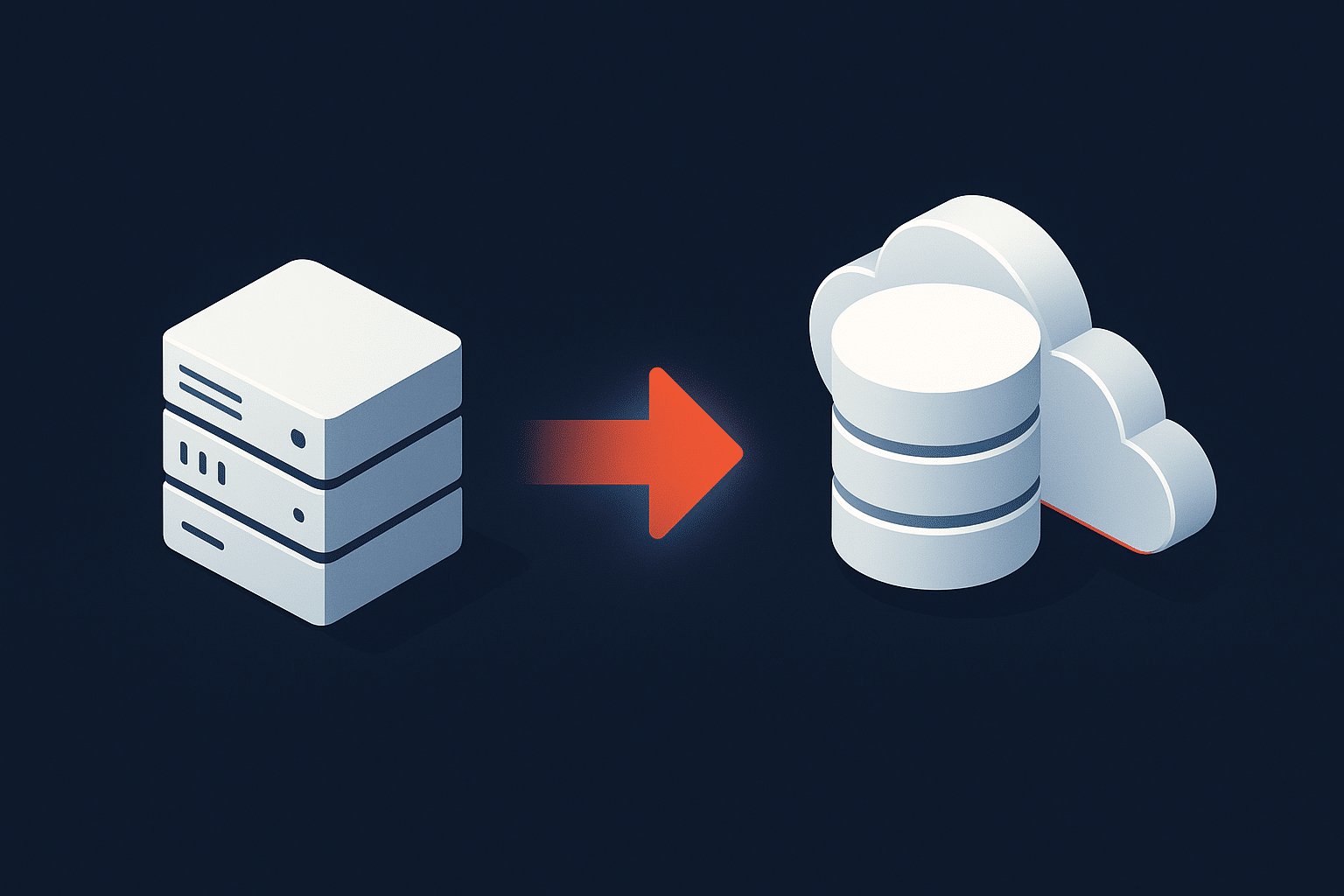
Migration is an activity. Modernization is the broader objective. A modernization program may contain a migration, but it can also achieve its goals without moving the database to another platform.
Database Migration
Upgrade, Migrate or Consolidate?
The right modernization path depends on your SQL Server architecture, application dependencies, downtime requirements and operational priorities. Aryasoft assesses the existing environment before defining the migration or modernization approach.
How to Choose the Right SQL Server Modernization Path
A target architecture should follow the assessment of the current environment. Choosing Azure SQL, a new SQL Server version or another database platform before understanding dependencies can create unnecessary complexity later in the project.
Before defining the modernization path, review questions such as:
What SQL Server version are you currently running?
Lifecycle is an obvious starting point, but the answer should also include edition, compatibility level, patch status and any vendor constraints attached to applications using the database.
Which applications and services depend on SQL Server?
Database size alone does not define migration complexity. A relatively small database can be difficult to move if many applications, reports, integrations or scheduled processes depend on it.
Which SQL Server features are in use?
Inventory features and dependencies such as:
- SQL Server Agent jobs
- Linked Servers
- SSIS packages
- SSRS reports
- CLR
- Cross-database queries
- Stored procedures
- Replication
- Always On Availability Groups
- Database Mail and external integrations
How much downtime can the business tolerate?
A modernization project for a development database has a very different risk profile from a database supporting payment, healthcare, retail or other continuously used applications.
Define acceptable downtime, rollback requirements and the required Recovery Point Objective (RPO) and Recovery Time Objective (RTO) before planning cutover.
What problem are you actually trying to solve?
If the main issue is licensing cost caused by hundreds of lightly used SQL Server instances, consolidation may be more relevant than cloud migration. If the problem is an unsupported database version, an upgrade may address the immediate risk. If infrastructure operations are the main burden, a managed platform may deserve greater consideration.
Other questions include:
- Does the application require operating-system-level access?
- Are there recurring performance bottlenecks?
- Does the existing environment meet current HA/DR requirements?
- Is cloud adoption an actual business requirement?
- Is SQL Server licensing part of the modernization objective?
- Does the internal team have enough DBA capacity for ongoing operations?
The target architecture should follow the assessment. The assessment should not be designed simply to justify a target architecture that has already been selected.
SQL Server Modernization Roadmap
A structured modernization roadmap reduces technical uncertainty and makes cutover, rollback and post-migration responsibilities easier to manage.
1. Discovery and Inventory
Start by documenting the current SQL Server estate. The inventory should cover:
- SQL Server instances and databases
- Versions and editions
- Database sizes and growth
- Applications and connection points
- SQL Server Agent jobs
- SSIS and SSRS assets
- Linked Servers and integrations
- High availability configuration
- Backup and recovery processes
- Infrastructure and licensing
2. Health and Compatibility Assessment
Before moving workloads, review the health of the existing environment. Otherwise, performance, configuration or operational problems can simply be transferred to the new platform.
The assessment should cover areas such as:
- Query and workload performance
- Indexing
- Blocking and deadlocks
- Database integrity
- Configuration
- Backup reliability
- Restore readiness
- Security and access
- HA/DR
- Feature compatibility
Microsoft’s migration tools also use assessment rules to identify compatibility issues before SQL Server databases are moved to Azure SQL Database.
3. Define the Target Architecture
Based on the assessment, determine whether the appropriate target is:
- A newer SQL Server version
- Modernized on-premises infrastructure
- A consolidated SQL Server estate
- SQL Server on Azure VMs
- Azure SQL Managed Instance
- Azure SQL Database
- A hybrid architecture
- Another cloud or database platform
4. Plan Migration and Cutover
Create a detailed execution plan covering:
- Migration method
- Data synchronization
- Application freeze requirements
- Cutover sequence
- Responsible teams
- Validation criteria
- Rollback conditions
- Backup strategy
- Communication and escalation
For complex production environments, rehearsing the runbook before the final cutover can significantly reduce uncertainty.
5. Test Before Production Migration
Testing should go beyond confirming that the database can be restored or opened on the target platform.
Validate:
- Application functionality
- Query performance
- Integrations
- Reporting
- Scheduled jobs
- Security and permissions
- Backup and restore
- High availability
- Monitoring
6. Validate After Migration
Once the cutover is complete, validate the new environment against the original migration plan and performance baseline.
Check database consistency, application connectivity, SQL Server Agent jobs, integrations, permissions, backups, restore capability, monitoring and HA/DR status before considering the migration complete.
7. Optimize and Operate the New Environment
Go-live is not the end of modernization. Query behavior may change, infrastructure utilization may differ and new operational requirements can emerge after production traffic reaches the target environment.
Ongoing work may include:
- Performance tuning
- Capacity review
- Monitoring and alerting
- Patching
- Backup and restore testing
- HA/DR testing
- Licensing review
- Database maintenance
Organizations that need ongoing expertise after a modernization project can use SQL Server consulting and DBA support for monitoring, maintenance, incident management and continued optimization.
Common SQL Server Modernization Mistakes
Choosing the Target Platform Too Early
Deciding that every workload must move to a specific platform before completing an inventory and compatibility assessment can create unnecessary application changes and migration risk.
Treating Modernization as Only a Data Transfer
Moving database files is only one part of many SQL Server migrations. Applications may also depend on jobs, reporting services, integration packages, linked servers, permissions, connection strings and infrastructure-level configuration.
Missing SQL Server Agent Jobs and External Dependencies
SQL Server Agent jobs are particularly easy to overlook when teams focus primarily on database schemas and data. Scheduled maintenance, ETL processes, reports and operational tasks may depend on those jobs.
When moving to a platform where SQL Server Agent is not available in the same way, the workload may require an alternative scheduling approach.
Testing the Database but Not the Application
A technically successful database migration can still result in poor production performance if application behavior, integrations and real workloads are not tested against the target environment.
Underestimating Cutover and Rollback Planning
Every production migration should define what happens if validation fails. Rollback conditions, synchronization strategy, decision owners and time limits should be agreed before the migration window begins.
Moving Existing Inefficiencies Into the New Environment
Modernization is an opportunity to remove technical debt instead of transferring it.
Examples include:
- Unused SQL Server instances
- Oversized infrastructure
- Unnecessary licensed cores
- Inefficient indexes
- Poor maintenance processes
- Unreliable backups
- Excessive permissions
- Weak monitoring
A cloud migration that reproduces these problems in a new environment may change the hosting model without actually modernizing the database operation.
Ignoring Post-Migration Performance
Performance should be monitored after cutover and compared against the pre-migration baseline. Configuration, execution plans, storage behavior and workload patterns may change on the new platform.
SQL Server Modernization Checklist
The exact checklist will vary by architecture, but the following provides a practical starting point for SQL Server modernization and migration planning.
Before Modernization
- Inventory SQL Server instances and databases
- Document versions and editions
- Document database compatibility levels
- Map application dependencies
- Review SQL Server Agent jobs
- Review linked servers and integrations
- Inventory SSIS and SSRS dependencies
- Baseline production performance
- Review database integrity
- Validate backups
- Test restore procedures
- Review HA/DR architecture
- Review security, roles and permissions
- Assess licensing
- Define acceptable downtime
- Define RPO and RTO
- Assess application compatibility
- Define migration validation criteria
- Prepare rollback procedures
After Modernization
- Validate data integrity
- Validate application connectivity
- Validate SQL Server Agent jobs
- Validate SSIS, SSRS and integrations
- Review query performance against the baseline
- Review execution plans where required
- Validate backups
- Perform restore testing
- Validate HA/DR and failover
- Configure monitoring and alerts
- Review capacity and utilization
- Review licensing
- Document the new architecture
- Define ongoing maintenance responsibilities
When Should You Modernize SQL Server?
Modernization should be considered when the current SQL Server environment creates technical, operational or business constraints that cannot be addressed efficiently through routine maintenance alone.
Common indicators include:
- The SQL Server version has reached or is approaching the end of support
- Applications experience recurring database performance issues
- The existing server or storage infrastructure requires replacement
- SQL Server licensing costs are unnecessarily high
- The estate contains too many independently managed instances
- Backup and recovery processes are unreliable or difficult to test
- Availability requirements have increased
- The organization is planning a cloud transition
- Security or compliance requirements have changed
- The internal team does not have sufficient DBA capacity
Not every SQL Server environment requires a complete migration. In some cases, an upgrade, consolidation, performance improvement or architecture redesign can solve the underlying problem with considerably less disruption.
Frequently Asked Questions About SQL Server Modernization
What is SQL Server modernization?
SQL Server modernization is the process of improving an existing SQL Server environment to meet current performance, reliability, security, scalability and operational requirements. It can include version upgrades, infrastructure improvements, consolidation, cloud migration, HA/DR redesign, performance optimization or replatforming.
What is the difference between SQL Server migration and modernization?
SQL Server migration refers to moving a database or workload from one environment or platform to another. Modernization is broader. A modernization program may include migration, but it can also involve upgrading, consolidating, improving infrastructure or redesigning database operations without moving the workload to a different platform.
Do I need to move SQL Server to Azure to modernize it?
No. Azure is one modernization option, but modernization can also involve upgrading SQL Server, consolidating instances, refreshing on-premises infrastructure, improving HA/DR, optimizing performance or changing operational processes.
Which SQL Server versions should organizations consider modernizing?
Unsupported or soon-to-be-unsupported releases should receive particular attention. SQL Server 2016 reached the end of extended support in July 2026, while SQL Server 2017 reaches the end of extended support in 2027. The correct upgrade path still depends on application compatibility, vendor requirements, operational constraints and the organization’s long-term roadmap.
Can SQL Server be modernized without changing application code?
Yes, in some scenarios. Version upgrades, infrastructure modernization and SQL Server consolidation can sometimes be completed with limited application changes. Aryasoft’s SQL Server consolidation success story, for example, involved moving more than 150 standalone SQL Server instances into a three-node architecture while preserving legacy application connection strings without application code changes.
How long does a SQL Server modernization project take?
There is no universal project duration. The timeline depends on the number of databases and instances, data volume, application dependencies, target platform, testing requirements, migration method, acceptable downtime, HA/DR requirements and the complexity of integrations such as SQL Server Agent, SSIS and SSRS.
Need expert support for SQL Server?
Our senior database team supports SQL Server performance tuning, health checks, migrations, Remote DBA services and urgent operational issues.
Build the Modernization Plan Around Your SQL Server Environment
SQL Server modernization should not start with the assumption that every database needs to move to the cloud, that every environment needs the latest version or that every legacy workload needs to be replaced.
The strongest modernization strategy starts by understanding the current SQL Server estate, identifying the actual operational and business constraints and comparing the available paths.
For one organization, the answer may be a straightforward version upgrade. For another, it may involve consolidating dozens of instances, redesigning high availability and reducing licensing exposure. Another environment may be ready for Azure SQL Managed Instance, while a workload with extensive infrastructure dependencies may be better suited to SQL Server on Azure VMs or a modernized on-premises architecture.
The objective is not simply to move SQL Server. It is to build a database environment that is easier to operate, better aligned with current requirements and ready for the next stage of the organization’s technology roadmap.
Related Reading
SQL Server Modernization
Planning a SQL Server Modernization Project?
Aryasoft’s senior SQL Server specialists support environment assessments, version upgrades, migrations, consolidation, performance tuning and modernization planning across on-premises, cloud and hybrid SQL Server environments.
“`