
A misconfigured Windows Task Scheduler is an easy thing to overlook when chasing intermittent SQL Server slowdowns, since the competing job rarely shows up in any SQL-side diagnostic. Checking it takes a couple of minutes and rules out a whole class of “mystery” performance dips. Review Your Windows Task Scheduler: It May Affect Your SQL Server Performance
Category: Performance
What is a Windows task scheduler?
It is a Windows component that can schedule programs and schedules to run at predefined times or after specified time intervals.
Why should you care about this?
Sometimes, unbeknownst to you, some non-SQL related tasks are scheduled that can start at peak SQL times and affect performance.
How to Check the Windows Task Scheduler
Need expert support for SQL Server?
Our senior database team supports SQL Server performance tuning, health checks, migrations, Remote DBA services and urgent operational issues.
1- Use the Windows search box and search for “Scheduler”.
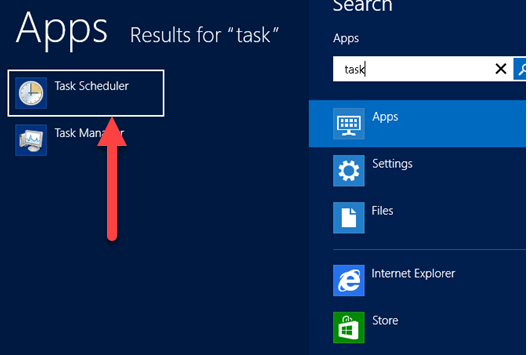
Click on Task scheduler to list all programs.

How to fix it?
- See what can be removed.
- If the task needs to stay, we recommend scheduling it for times when SQL has no transaction load.
Related Reading
SQL Server Performance Consulting
Not Sure About Your SQL Server Performance?
Aryasoft analyzes query performance, indexing, memory and disk configuration end-to-end and delivers concrete improvement steps.